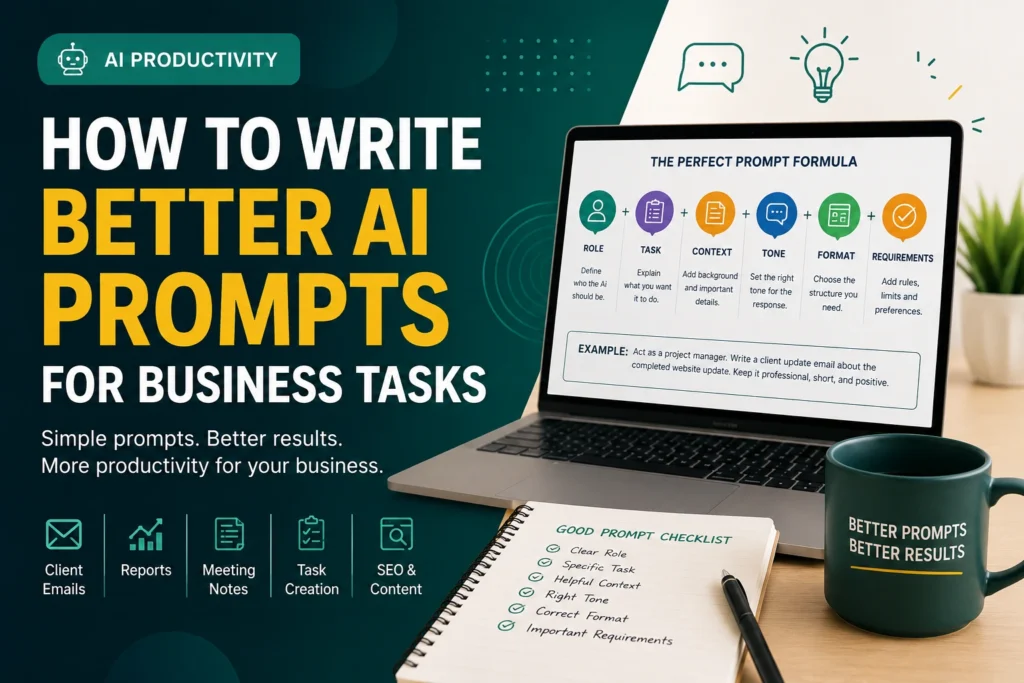
Learn a simple, practical system for writing AI prompts that produce better emails, reports, SEO outlines, meeting notes, and daily business documents.
Table of Contents
Better AI prompts for business tasks can help small business owners, marketers, project managers, and agency teams save time without lowering quality. However, many people use AI tools with very short instructions and then feel disappointed with the result.
The problem is not always the AI tool. Often, the problem is the prompt. A prompt is the instruction you give to an AI tool. When your instruction is clear, specific, and practical, the output becomes more useful.
What Is an AI Prompt?
An AI prompt is a written instruction that tells an AI tool what you want it to do. For example, “Write an email to a client” is a prompt, but it is too broad.
Weak Prompt:
Better Prompt:
The Simple Formula for Better AI Prompts
Use this formula for most business tasks:
1. Role
Tell AI who to act as, such as a project manager, SEO specialist, or business consultant.
2. Task
Explain the exact job: write, summarize, rewrite, create, compare, or organize.
3. Context
Add the background so the answer is specific instead of generic.
4. Tone
Choose the style: professional, friendly, formal, simple, positive, or direct.
5. Format
Ask for bullets, tables, checklists, email drafts, or step-by-step instructions.
6. Requirements
Add rules such as word count, no exaggeration, CTA, or simple language.
Business Prompt Examples
Client Email Prompt
SEO Report Prompt
Meeting Notes Prompt
ClickUp Task Prompt
Common Mistakes When Writing AI Prompts
- Giving too little context: AI needs background to create useful output.
- Not mentioning the audience: A CEO email and a developer task should not sound the same.
- Skipping the tone: Always define whether the answer should be formal, friendly, simple, or client-ready.
- Asking for too much at once: Break complex work into smaller steps.
- Not reviewing the result: Always check names, numbers, dates, and promises before sending.
Reusable AI Prompt Template for Business Tasks
Best Business Tasks for AI Prompting
AI prompts are useful for many daily tasks, especially when the task needs structure, speed, and clear communication.
- Client emails
- Proposal drafts
- SEO reports
- Blog outlines
- Website copy
- Meeting summaries
- Support replies
- Project task creation
- Content refresh planning
Build Your Own AI Prompt Library
Start saving reusable prompts for emails, SEO reports, meeting notes, blog outlines, and project tasks. This will help your business work faster with better consistency.
Explore More AI GuidesFAQs About AI Prompts for Business
What is the best way to write an AI prompt?
The best way is to clearly explain the role, task, context, audience, tone, format, and requirements.
Can AI write business emails?
Yes, AI can draft business emails. However, you should always review the final message before sending it.
Why does AI give generic answers?
AI often gives generic answers when the prompt is too short or unclear. Add more context and specific instructions.
Should I use AI for client reports?
Yes, AI can help draft client reports, summaries, and action plans. However, the data should be checked manually.
Can small businesses use AI prompts?
Yes, small businesses can use AI prompts for emails, customer support, marketing, task planning, and reporting.